
|
Monthly Newsletter
News Bytes
|
|
|
JULY 2026 | Issue #5 | Focus: Technician Productivity
|
|
Built for the Bench
This issue is all about your production floor, the tools that help technicians work faster and give managers a clear view of what's actually happening at the bench.
|
| |
|
This Month's Focus: Your Technicians
We're spotlighting the Evolution tools built specifically for the production side of your lab, from bench stations to the mobile app your techs carry all day. Everything in this issue lives on one page.
See the Technician Productivity suite
|
|
EvoDASH Now Shows Technician Productivity
Unit counts by department and a technician productivity view mean you can see who's producing what, from an executive's dashboard view.
Read the EvoDASH launch post
|
|
Have a Tech Who Isn't on the Mobile App Yet?
Getting every technician logging steps from their phone or tablet is the fastest way to tighten your case tracking. Reach out and we'll help you roll it out.
Talk to ABS about setup
|
|
Popular Feature Spotlight
|
|
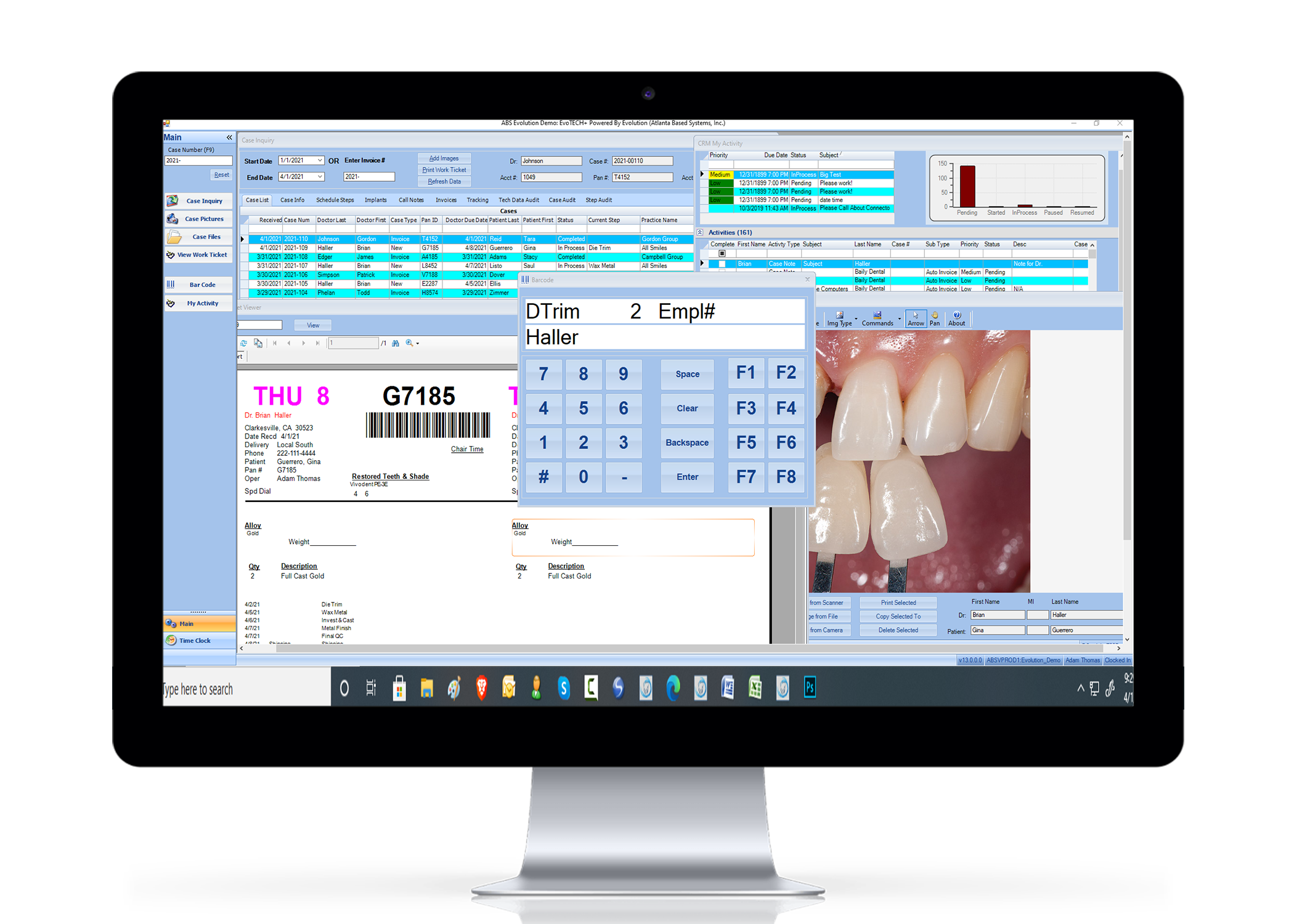
EvoTECH PLUS
A slimmed-down desktop app built just for technicians: the time clock, the day's cases, and what's due, without the rest of the system in the way.
Learn More
|

|
EvoTECH Mobile App
Techs clock steps, update case status, and attach photos right from a phone or tablet, so the case status in Evolution matches what's really happening on the floor.
Learn More
|

|
EvoTOUCH
Touchscreen bench stations that make clocking in and out of steps a single tap, designed for the pace and the gloves of a real production floor.
Learn More
|
|
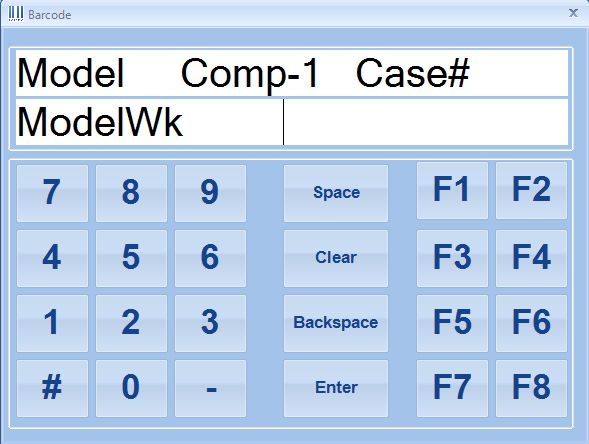
EvoBARCODE
Scan a case to move it through steps instead of looking it up by hand. Fewer keystrokes at the bench, cleaner tracking data for you.
Learn More
|
|
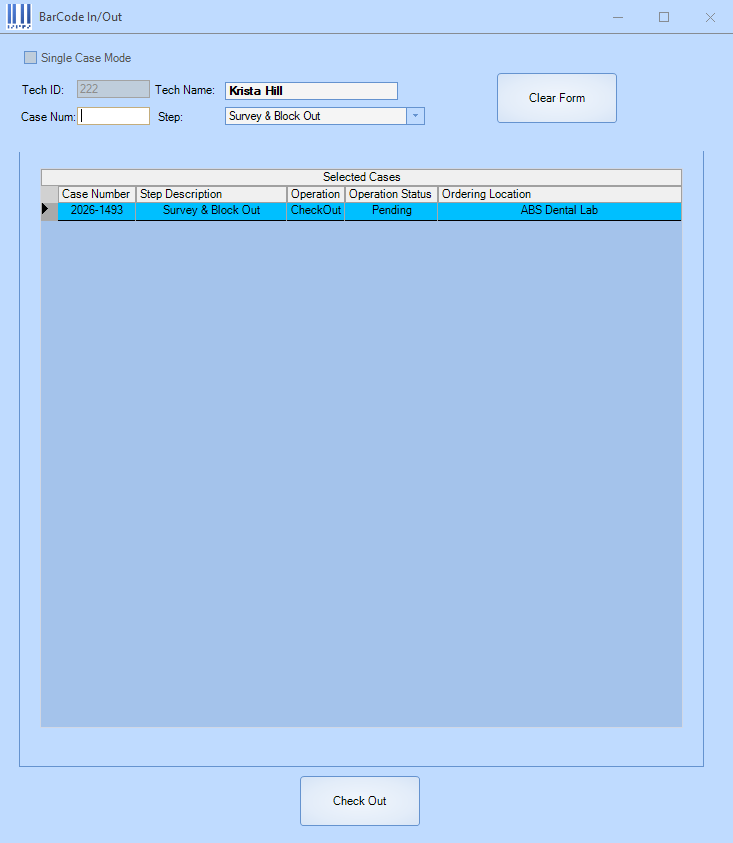
EvoBARCODE In/Out New
A step further than standard barcoding. It pairs barcode scanning with EvoTOUCH-style in/out tracking so you know exactly when a case entered and left each step.
Learn More
|
|
| 1. |
Fastest Support: Contact
support@atlantabasedsystems.com
or call 1-800-476-2097 Ext. 1. Please do not send support requests to individual ABS employee emails.
|
| 2. |
Analyzing Technician Productivity in Evolution/EvoData
Below are our recommendations for Evolution tools to assist you with finding the answers within the applications.
| • |
Technician Productivity Analysis Report – Under “Production Reports” in EvoData, run in “Summary” format to get grand totals. Questions? Run again in “Detail” format, for that one tech and date range, and the report will show you every case/step activity that affected that tech’s totals. It’s often internal rescheduling and remakes that affect a tech’s counts. Also, ABS offers almost 20 more versions of this report, as well as dozens of other useful production reports. We encourage you to “try it and see!” |
| • |
Case Inquiry Audit data – Many labs are familiar with the “Steps/Service Schedules” tab that shows everything that did happen to the steps on a case, but then need to know more “why” or “how”. Look at the Step Audit tab for the case and you’ll see every step that was touched, by whom, when, and from where. The Case Audit tab is invaluable for every change made to a case, by whom, when, and from where. |
| • |
Tech Pay Adjust – Located under the A/R menu for security purposes, this form not only gives you more detail for the processed steps on a specific case, it allows you to manually make adjustments to increase or decrease technician credits in units, pay rates, and duration (minutes) for specific steps on specific cases. |
| • |
Rush / Late Cases – Under the “Cases” menu, this form shows you every in lab case that is, or is in danger of, running late and falling behind in production. What you may not be aware of is that you can right-click on any case in the list and Change Tech and/or Check In the case for its current step. |
| • |
Evolution Time Clock – Add Time Clock and track Efficiency. By adding Duration (Minute) values to recipes and technicians, the system can know how long the processes should take a technician, per unit. Have the techs simultaneously clock in and out of Production Time, and you, and the techs themselves, can monitor ongoing efficiency. Efficiency ratings consistently above or below 100% for a specific employee mean that either values or expectations warrant change. |
|
| 3. |
Stuck on something? Hit F1: Pressing F1 anywhere in Evolution opens the Evolution User Online Documentation for that screen. It's the fastest way to get an answer without leaving what you're working on.
|
|
| |
|
What's the difference between EvoTOUCH/EvoTECH and barcoding?
Barcoding, whether standard EvoBARCODE or the new EvoBARCODE In/Out, is built for one thing: completing steps, fast. EvoTOUCH and EvoTECH give technicians a fuller screen to work from, with more visibility into the case. If all you need is technicians pushing cases through steps, barcode is the answer; if you want more detail at the bench, EvoTOUCH/EvoTECH is the better fit.
Compare the tech tools
|
|
How do I get my technicians set up on the mobile app?
Reach out to ABS and we'll walk you through licensing and install for each device, then help your team log their first steps. Most labs are up and running the same day.
|
|
Why can't my technician complete this step?
Two things to check first: is the technician actually assigned to that step, and does the technician have the correct skill level for it? Skill level mismatches are one of the most common, and most overlooked, reasons a step won't scan. When reviewing a tech’s Assigned Steps, be sure to click on EACH step. Each Assigned Step has its own skill and flags, and you must click on each step to see the settings.
|
|
Quick Fact: There's a wizard for setting up technician steps
The Technician Association Wizard walks you through assigning technicians and skill levels correctly across steps. Contact ABS Support before you use it. A quick check up front avoids a cleanup job later.
|
|
|
Quick Resources:
ABS Home |
Sales |
YouTube |
Support
|
|
You're receiving this because you are subscribed to the ABS Monthly Newsletter.
View this email in your browser
|
Newsletter Archive
Atlanta Based Systems Inc. | 110 Clarkesville Plaza | Clarkesville, GA 30523
Unsubscribe
|
Privacy Policy
© 2026 Atlanta Based Systems, Inc. All rights reserved.
|
|